Skip to content

Blog Entries

Move from Google-Chrome to Firefox on Linux

The problems of Google-Chrome

There are several issues with Google-Chrome, some specific to Linux some not

  • Google-Chrome is spying on you and sends way too much information to google and advertisers.
  • Google-Chrome is using way too much CPU on Linux and it's responsiveness is much worse than that of Firefox. I've actually seen this in actual touch typing sites.
  • Google-Chrome is writing too much and wears out your disk in Linux. This is a known issue https://unix.stackexchange.com/questions/438456/google-chrome-high-i-o-writes

The result of all of this is that I recommend Firefox on Linux rather than Google-Chrome.

I wrote a script called browser_move_to_firefox.sh where you can see all the configs that need to be changed when moving to a different browser.

Problems with Netflix web and Netflix webos clients

I've had some issues with the Netflix service recently.

Here is my grievance list:

  • The UI is too intrusive, starts preview of videos/shows when you are just browsing. Cannot turn this behaviour off. Video plays from the start even though it clearly shows that the video is in mid viewing. Very annoying since I have to find the right position again.
  • Items disappear from “My List” with no heads up warning. Very annoying. This is sometimes because Netflix remove shows from the platform which is also annoying and what’s more – they don’t clearly state what is going to go away and when inside the app. I have to go online and find out for myself.
  • Things disappear from the “Continue watching as…” list with no heads up. Very annoying and forces me to maintain my own list of stuff I’m in the middle of watching. Sometimes this happens because a show is going off the platform (again, no heads up) and sometimes for no apparent reason at all.
  • The UI does not allow me to store more than one list. I need one for things I’ve seen and for things I want to see as well as things I’m in the middle of seeing (see above why Netflix support for studd you are in the middle of watching is terrible).
  • The site doesn’t provide an API for getting your data from Netflix. This may be a problem shared by a small minority of programming inclined users but it is important to me.

These problems are endemic to Netflix in general not just to a certain Netflix app or it’s website, so they cannot be solved at the application level. Netflix really needs to fix core issues to make progress on any of these issues.

As a result of all this I decided to leave Netflix. Bye bye.

Open heart surgery on a Fatar StdioLogic SL880

This one is for all of you who have a Fatar keyboard of version StudioLogic SL880 or similar ones. If one of your keys stops working and slumps down it may be that an inner plastic has broken in which case you will need to either send it to the shop or do surgery on it. This one is for the brave of heart who want to take the surgery road. Why should you do it? Because you are brave, because you don't want to haul the heavy keyboard to an expensive lab to fix it for lots of money. In any case the idea is to get a plastic from one of the unused keys (I used the lowest notes) and put it instead of the broken one on the broken notes. One piece of advice: no fear - and read the entire guide before starting!. Photos were taken using my iPhone and you can click on them to get a more detailed image.

Here are the stages:

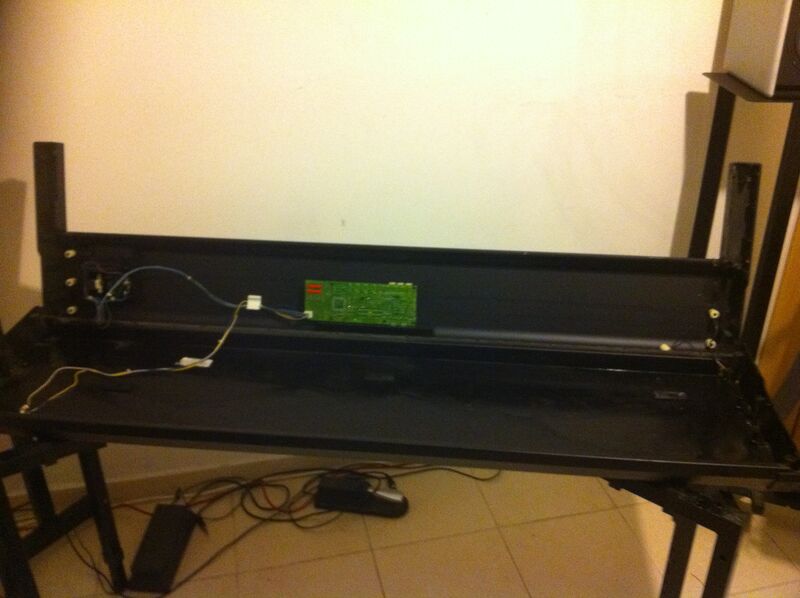
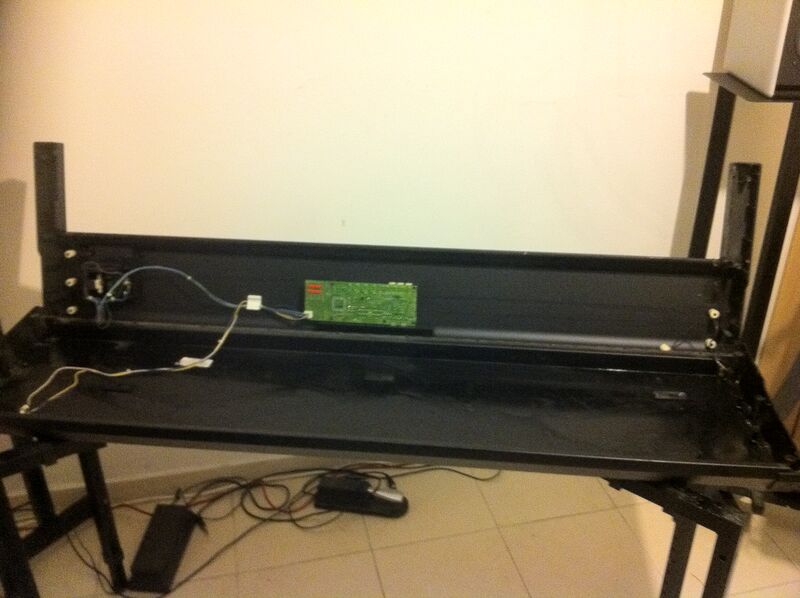
First gut out the keyboard. You'll have to open 6 deep screws (hidden in trenches), 3 on either side at the bottom of the case. It's hard but it's doable. I have also released 6 more screws at the bottom and gutted the keyboard totally. You really don't have to do that but I wanted to clean the inside while I'm at it.

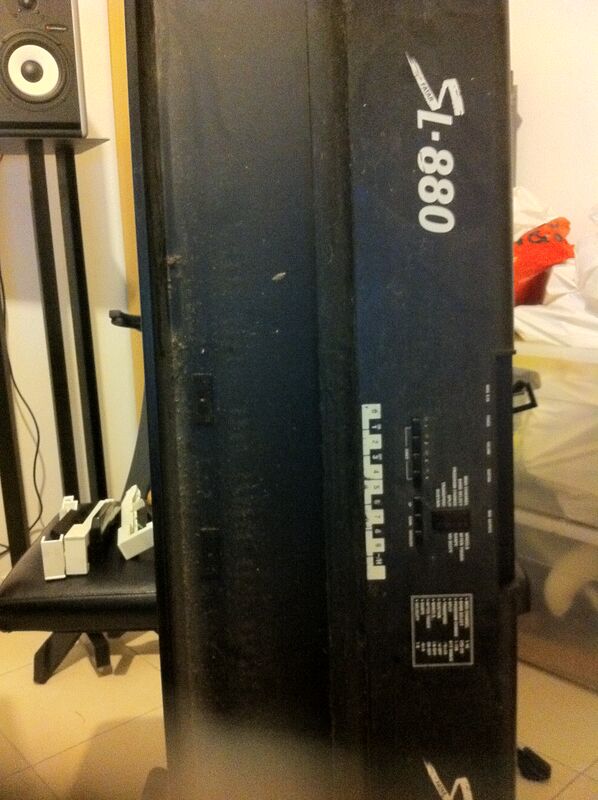
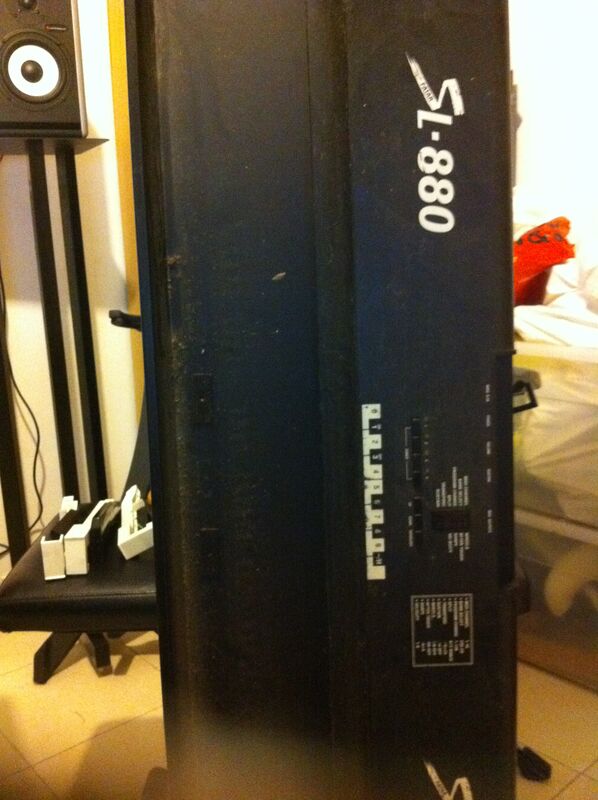
The SL-880 case

The keyboard gutted — case with PCB exposed

Now find the key(s) that cause(d) the problem. You need to use a small flat screwdriver in order to free the keys. Just insert the screwdriver into the back of the key and press on the small plastic. Once it's pushed the key could be pulled upwards and released. You will now see the problem.

The broken green plastic piece — and a good one for comparison

Close-up of the broken plastic

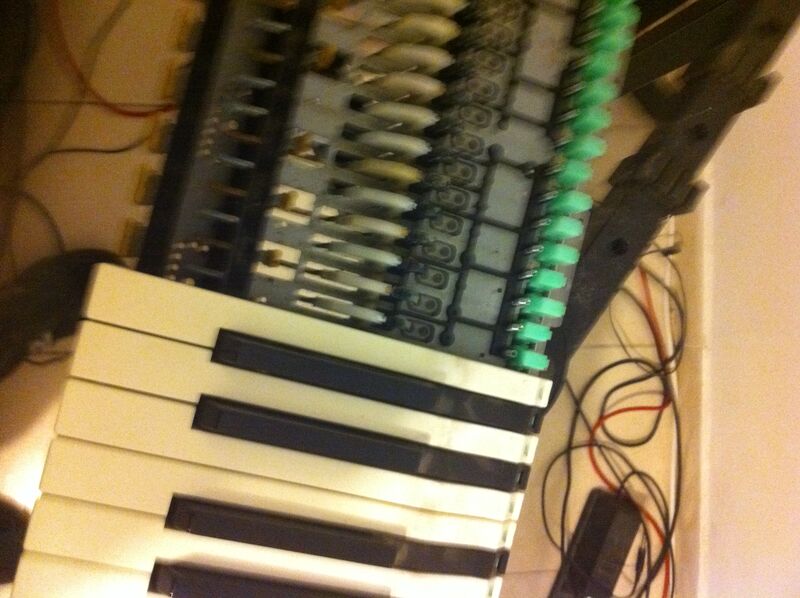
In order to fix the problem you will have to release all keys!. Yes - I know this hurts but there is a long steel rod that runs through all of them. As long as the keys are clicked into place they apply pressure on the rod and you will not be able to pull it out or, if you happen to pull it out, to get it back in again. So, release all the keys with the screw driver as before. You can either put them on the side or keep them in their place. I started with the former and ended up with the latter since it is better. Since you will be releasing all the keys this is your chance to clean the keys as well.

Keys released — the internal mechanism exposed

Another angle of the exposed mechanism

Close-up of the key mechanism

During the whole process watch out for the small springs. Each key has one and the spring is not held by anything once you release the keys...

Now you will get to a situation where there is no iron bar for the key you want to work on...

Keys with the steel rod visible

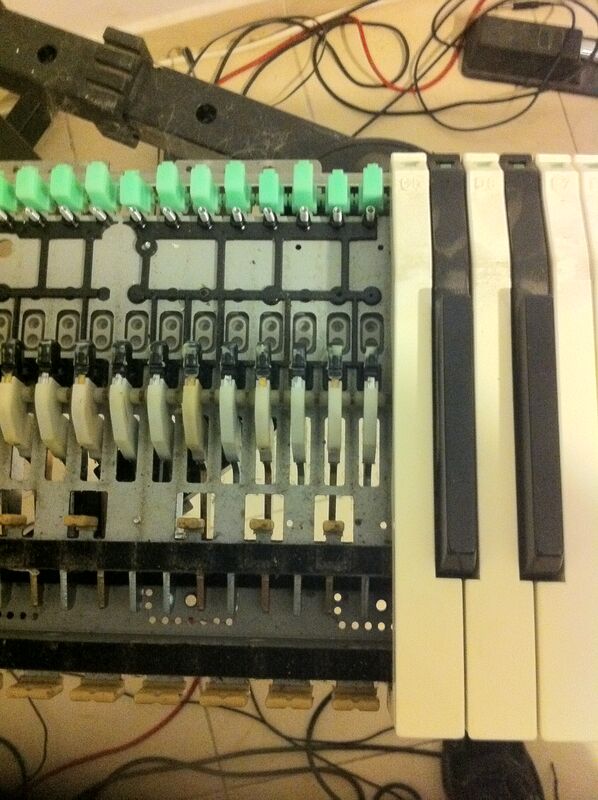
Close-up showing the key labels

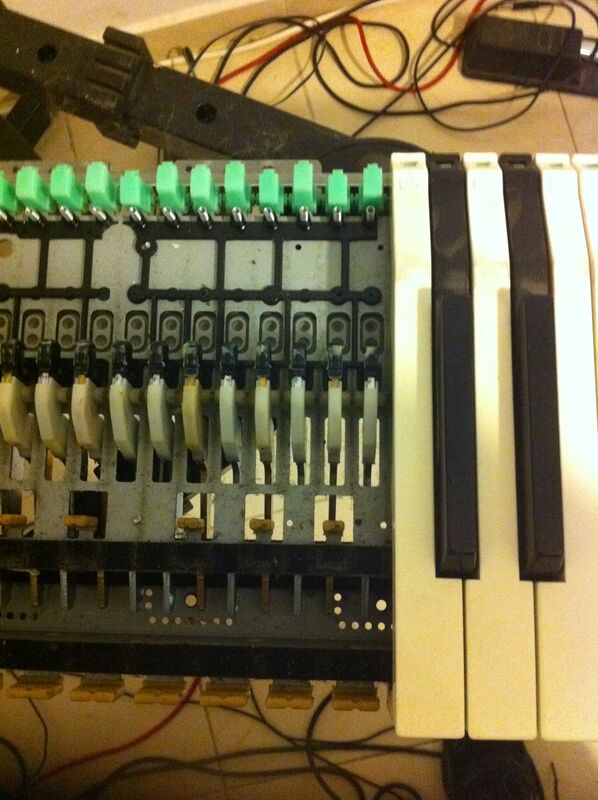
Get the bad plastic out and put in a good piece of plastic from an unused key. I used the bottom most notes.

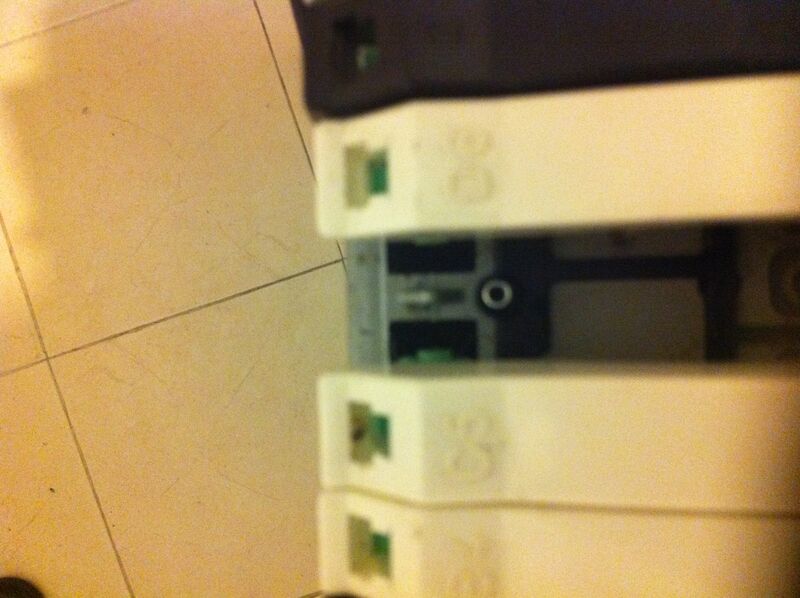
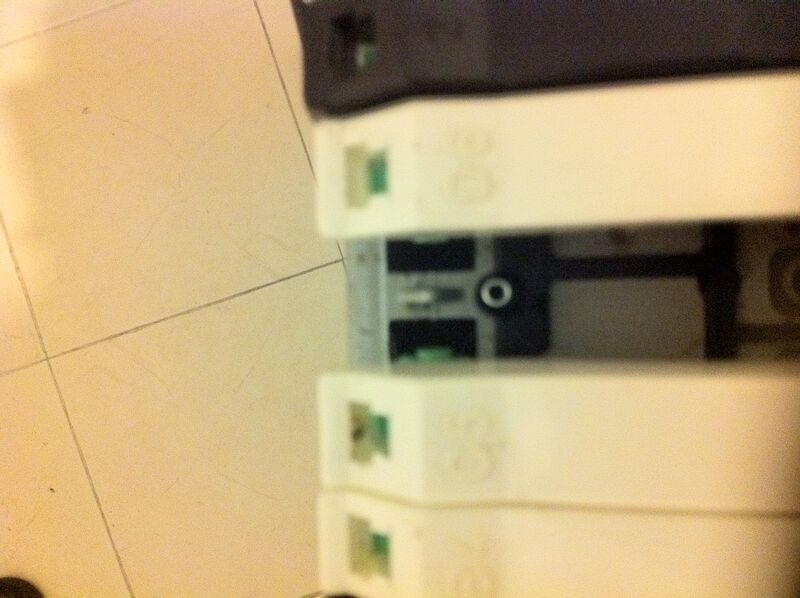
Keys close-up — the green plastic holders

Another view of the key mechanism

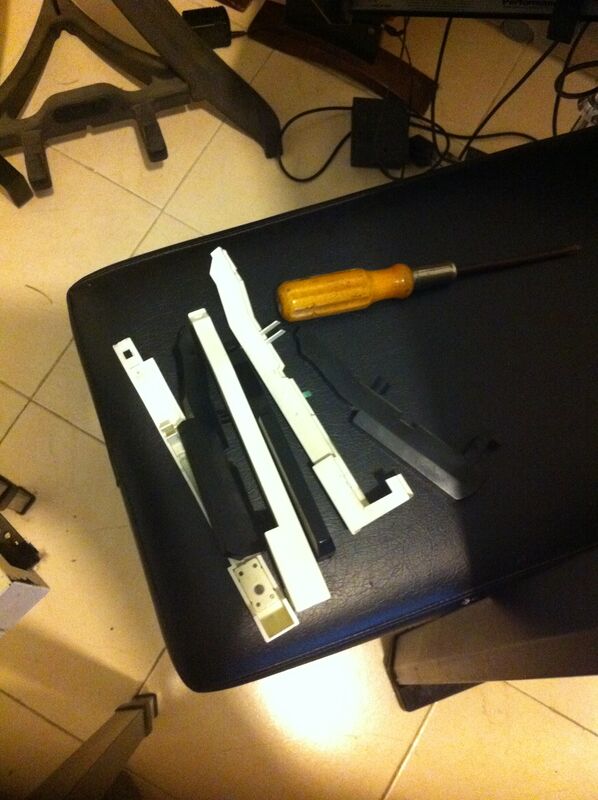
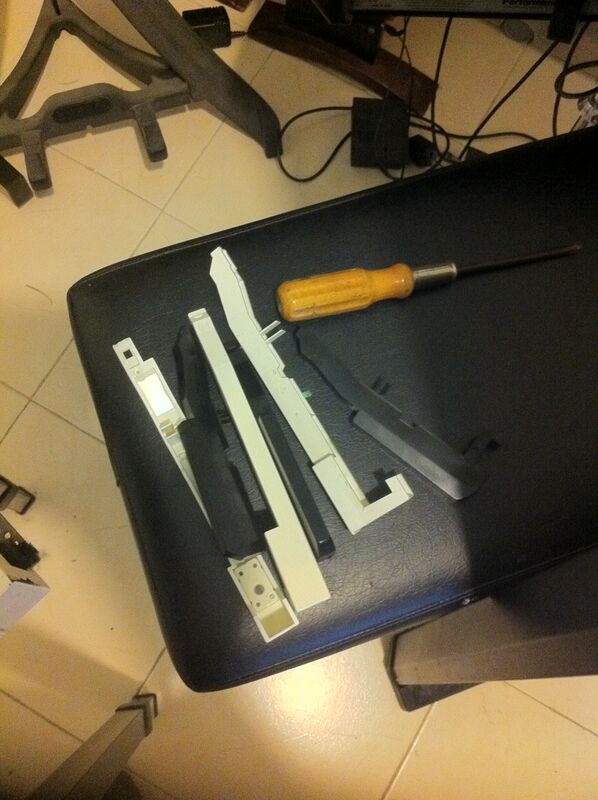
Some keys on the side. I pulled out a couple only to realize that it is better to keep them in place to avoid having to reconstruct exactly where each key goes. In any case, if you do pull them out, it is not a big deal since the keys are all numbered. White keys are "A B C D E F G" and black ones are numbered "1 2 3 4 5" and stand for C#, D#, F#/Gb, Ab, Bb. It looks like the black keys are interchangeable so you their numbers are not as important as those of the white keys. The ends of the keyboard have special keys. Keep an eye on those.

Removed keys and screwdriver on a table

Another view of the removed keys

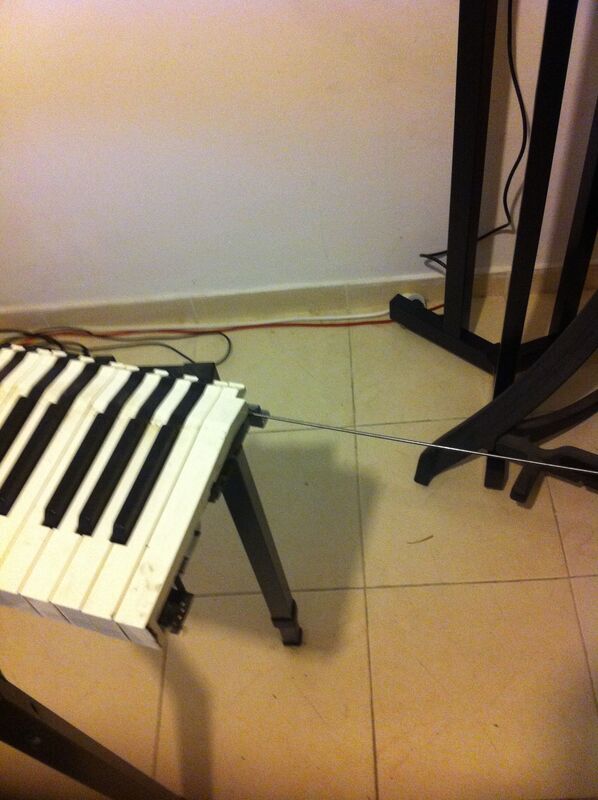
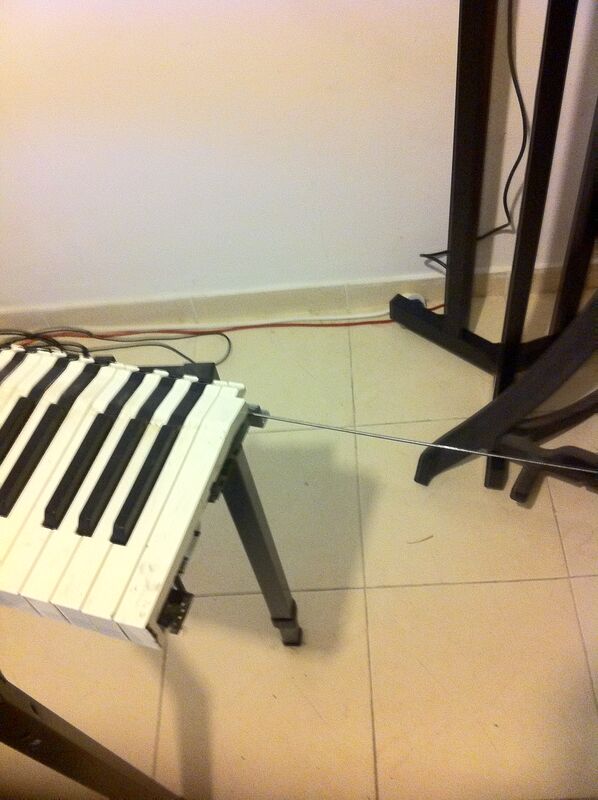
Keys leaning with the steel rod pulled out

Another angle of keys with rod

If you do decide to gut out the keyboard completely by removing the extra set of 6 screws at the bottom then you will be able to clean the case itself. If you decide on this remember to release the keyboard only after you disengage the 4 data cables (two fat, two thin) that connect the keyboard to the case. Here is an image of the case after the cleanup...

The cleaned case with PCB

The SL-880 label on the back

The whole procedure took me about 3 hours and some. Well worth it.

more links about Fatar fixes: bad sounds electronics (original link dead) hardware issues (original link dead)

The official owners guide (from my site): fatar-sl880.pdf

Reviews of the Fatar SL-880: Harmony Central (original link dead)

Java runtime environment control

There are four ways to control Java environment for runtime:

- _JAVA_OPTIONS environment variable.
- Command line when running the java virtual machine.
- Java source code. In this case you must make sure to set the option before it is picked up by whatever subsystem it is intended for.
  • In Java web start you can also use the JNLP file to control the environment passed over to the executing JVM.

Examples of them can be:

  • export _JAVA_OPTIONS='-Dawt.useSystemAAFontSettings=lcd'
  • java -Dawt.useSystemAAFontSettings=lcd [arguments...]
  • System.setProperty("awt.useSystemAAFontSettings","lcd");
  • property name="awt.useSystemAAFontSettings" value="lcd" (under the resources element)

Each of these methods naturally has it's own advantages and disadvantages. In Java web start you have a hard time controlling the environment variables or the command line but two options (the JNLP file and the source code itself) are still open to you.

Some properties, like the anti-aliasing option, is notoriously bad by default and setting it (as shown above) will give you much better look and feel.

The values of the awt.useSystemAAFontSettings key are as follows:

  • false corresponds to disabling font smoothing on the desktop.

  • on corresponds to Gnome Best shapes/Best contrast (no equivalent Windows setting).

  • gasp corresponds to Windows Standard font smoothing (no equivalent Gnome desktop setting).

  • lcd corresponds to Gnome's subpixel smoothing and Windows ClearType.

What is the best option to choose? Well - I really don't know. On my laptop lcd looks best. Let me know about your own experience...

Debugging shared library problems

A tip: sometimes you install stuff from source and library search order makes analyzing which library you are actually using a mess. A useful tool is ldconfig -p that will print the cache of the dynamic linker for you allowing you to understand which libraries are actually being used.

Using gpg-agent to write authenticating scripts

Sometimes you want to write a shell or other script, and that script is going to have to run under sudo. Under such conditions if the script does anything that requires authentication it will not act as expected. In plain terms it means that the regular popup for authentication will not appear. The tool maybe written in a way which deals with the problem and falls back on other authentication methods, and yet it may not. In any case what you really want is for your own authentication agent (the little program called gpg-agent which is running on almost every Linux distribution from the time you log in till the time you log out) will do the authentication. This saves you lots of clicking. Imagine that the script has to do something which requires authentication X number of times. If the script does not use an agent it will not be able to cache the pass-phrases and so you will have to retype the pass-phrase several times. It can also be the case that your authenticating agent already has your pass-phrase in it's cache and you can save typing it yet another time.

Ok. So how do you do it? Well, in your original environment you have a variable called GPG_AGENT_INFO. This variable holds the details of how to connect to your authenticating agent. If you are running regular scripts then this variable, which is an environment variable, is automatically available to them. But if you run your scripts via ssh or sudo then it is not. Just make the variable available to those scripts. Obviously the users that these scripts will be running under will have to have the right level of permission to talk to your gpg agent. How do you make them available? One way is to pass this variable over the command line and turn it into an environment variable as soon as the script starts.

Producing MySQL dates from Perl

Ever written the occasional Perl script and wanted to insert the current date and time into a MySQL database? Here is the function to do it. This works for a column of type 'datetime'.

# function to return the current time in mysql format
sub mysql_now() {
        my($sec,$min,$hour,$mday,$mon,$year,$wday, $yday,$isdst)=localtime(time);
        my($result)=sprintf("%4d-%02d-%02d %02d:%02d:%02d",$year+1900,$mon+1,$mday,$hour,$min,$sec);
        return $result;
}

Test procedures for new memory installations

When you buy a new computer or get one and you are not sure of the quality of memory that it has, or when you buy, upgrade or add new memory you should test it before going on to simply use it. The reason is quite intricate. In most probability the memory with will either work or won't and if the machine works it will be a good indication that the memory works fine. But in a few of the cases your machine may exhibit very strange behavior indeed. Various programs crashing, machine freezes, kernel crashes and the like. In that case, which may happen some time after the upgrade you may fail to connect the symptoms with hardware memory issues and attribute them to other factors like OS upgrades, driver installations or other peripheral failures. This may lead you, as it has led me, on wild goose chases after non issues which will certainly drive you insane or into writing blog posts at 4 AM. So what do I suggest? A simple and short 2 step procedure to be executed when using new memory in order to be sure that your memory is functional and well configured. This can also save you money since from my experience the probability of buying faulty memory is very high (at least 15% from my statistics).

First phase is to run the ubiqitous memtest86+. This is available via the boot menu of most current linux distros. This test runs for some time and long years of using it have led me to a solid statistic according to which if memtest does not find a problem with your memory in the first 30 seconds it will not find any problems in the next 30 hours. But, then again, this is just a statistic, feel free to run this for as long as you wish. If memtest fails return the chips to the manufacturer and get new ones (if you feel that it is the chips fauls - see the note below). If it succeeds then you need to go on to the second phase of configuring the memory properly.

Once the memory is installed open your bios configuration and see how is it configured. How are its parameters (speed and 4 more numbers) set. Is it on automatic or is it on manual? Do you have heterogenous memory banks? If so what is the speed of each and what is the overall speed of the entire memory subsystem? Why should you know all of this info, you rightly ask. Well, in a perfect world you would just buy memory, plug it in and the BIOS would configure and use it properly. Alas, this is not the world we live in. In reality you usualy buy the motherboard at date X and buy the upgrade or new memory at date Y. Y is a couple of years following X. This means that the memory you are buying is too fast for your motherboard. Shouldn't your BIOS be able to handle this? Well, yes and no. In lots of cases it does manage to handle it but in some it doesn't and believe me, you don't want to get stuck in the latter.

In my case I installed a DDR2 800 MHz memory on a standard Intel board which did not complain and the BIOS ran that memory at the auto-selected optimal speed of 800 MHz. There was no problem with the memory and so memtest ran smoothly. It's just that when the 2 cores were accessing it together with high speed then put more pressure on it than memtest did and memory faults started happening.

Second test is to just see if the memory is working properly with multi core. This phase can also be used to "overclock" your RAM and to make sure that you will not be experiencing any weird side effects from this overclocking. In this phase we will test the memory in practice using the N cores. I found that the best way to achieve this is to just compile the Linux kernel on the machine using make -j N where N is the number of your cores. Whenever I had memory problems this compilation would crash in some spectacular way and in random places and so served as a clear indication of RAM issues.

If you want to learn more about memtest and dual core checkout this and this in the memtest86+ discussion board. It seems that memtest86 (as opposed to memtest86+) does have multi core support. Cool. The problem is that on Linux systems usually memtest86+ is the only one installed...

If you want to know how to compile a Linux kernel learn more at this URL.

memtester: There is a package called memtester in Linux which will test memory from user space. In Ubuntu this package is simply called memtester. It is developed here. I have tried it out and it is a fine piece of code but does not do multi-threaded testing with CPU affinity. You have to do that on your own at the command line by running two instances of memtester and assigning them to different CPUs via taskset. Another problem with memtester is that you need to let it know how much ram to test which is very hard to do since you want to test as much as possible. This means that you need to calculate the size to test which is roughly total_ram_size-(size_of_os+size_of_all_currently_running_programs) which is a hard to calculate and if you miscalculate the program may fail since it locks the memory that it gets using mlock, which you need to have permission to perform. It may also throw other programs that you are running at the time into swap (since they are not locked into memory).

The kernel compilation mentioned above is better in my opinion due to the following reasons: it uses all of your CPUs and it also uses every last bit of RAM you have since the kernel is big and during the compilation stage will use up all of your Linux cache which means all of your spare memory.

Note: as mentioned in the memtester documentation, if you do find any problems with your memory it may not be the fault of your memory chips at all. It may be the fault of your motherboard not supplying enough power for the chips or the CPU, it may be an overheating CPU, a mis-configured BIOS or other reasons.

Please leave comments if you think that I am wrong in any of the above and I promise to improve the post if you convince me that I could do better...
Configuring ssh server for pubkey + password authentication

In a struggle to secure my home computer I did battle with the ssh server once again to configure it "just the way I want it" (tm). I prefer pubkey + password since this ensures that if I lose the laptop/phone/whatever then the lucky finder will not find his/her way into my home computer.

So, without further fanfare here are various bits that need to be done.

Configuring the ssh server edit /etc/ssh/sshd_config and use the following entries: Protocol 2 # protocol 1 is outdated PubkeyAuthentication yes # I want public key to be used for authentication (and possibly to be combined with a pass phrase)

And of course there a bunch of authentication protocols that are not needed: ChallengeResponseAuthentication no KerberosAuthentication no GSSAPIAuthentication no PasswordAuthentication no UsePAM no

Creating the keys Still on the server in the home folder of the user you want to login remotely with, create the private/public pair using ssh-keygen -t dsa in ~/.ssh (the default location for ssh-keygen). You get two files: id_dsa (private key) and id_dsa.pub (public key).

I used dsa keys in this post and you can use rsa keys if you pass -t rsa to ssh-keygen.

In the same folder on the server create a file called authorized_keys which has the public key (it can just be a copy of id_dsa.pub but has the potential to contain many keys - possibly one per user that can connect to said account or one per roaming device).

When creating the key pair you will be prompted for a pass phrase. This is where you choose whether or not you will need a pass phrase (which acts as a password) in order to access this account. If you leave the pass phrase empty you're allowing key only access with no password which is dangerous since if anyone gets a hold of your roaming device he/she can access your account with no extra data.

Distributing the keys Copy the private key ~/.ssh/id_dsa to the roaming devices you want to access the server from (laptop, phone, whatever). If the roaming device is a Linux box then put the private key in the same location (~/.ssh/id_dsa) in the home folder of the user that wishes to access the server. If you are using some other ssl tool besides command line ssh on a Linux box to access the server then it should have a place where you plug the private key into. If it doesn't have such a place then dump it. Putty (a widely used ssh client on windows) has an option to use a private key for connection.

Note: While trying this out a lot of people seem to fail because they do all the experimentation on a desktop. In a desktop there is a system called ssh-agent which does the authentication for you in order to save you typing the same password multiple times. This agent is a problem when doing experimentation since it needs to be notified that you switched keys. So, every time you switch keys (regenerate the ~/.ssh/{id_dsa,id_dsa.pub} files) you need to run ssh-add to let the agent know this. Another option is not do all of the experimentation from a desktop but rather from a login shell (Ctrl+Alt+1 or whatever) so that the agent does not come into the game (which is complicated enough without it). Only after everything is setup re login to the graphical desktop and try everything out.

Real time programming tips: running critical tests at application startup

There is much accumulated wisdom in the embedded systems programming field as to how to correctly write a real time application. Examples of this wisdom could be found in the methodology of breaking up the application to a startup phase and a run phase, avoiding exiting the application, avoiding dynamic memory allocation and deallocation at runtime and more. There is also much accumulated wisdom in the programming field in general where a very important principle is ones control of ones software, as opposed to the other way around, and the notion of finding bugs and problems early whether that be in code writing, QA, deployment or beginning of execution.

The combination of the two aforementioned elements forms the principle of critical condition testing at application startup. According to this principle you should put all environmental concerns as tests to be executed at the startup phase of your embedded application. Environmental conditions to be checked may include, among others, the following:

  • Operating system or C library versions as the software may be adjusted for specific versions of these.

  • Real time patch availability and version as the software may require real time capabilities.

  • System real time clock accuracy as the software may require the availability of an accurate system clock.

  • User under which the software is running as the software may require special permission or user at some point in it's execution.

  • Free disk space availability as the software may require some disk space.

  • Free memory availability as the software may accidentally be run on a system with less than the required amount.

  • A previously running instance of the same or other software that may hinder the softwares operation.

  • The availability of certain APIs of the kernel or certain kernel modules which are required.

  • The availability of certain devices (/dev files) with permission to access these.

All of these checks should be run in the first second or so of the software's execution and, contrary to normal wisdom, should cause the software to halt and not proceed with normal execution. The reasons for this scary tactic is that:

  • You may miss error printouts from your application and so run around trying to find errors in all the wrong places.

  • You want the errors to show up early and anything that can be made to show up early should be made so.

  • I have seen programmers confidence in their hardware/OS/environment break too many times and lead to endless hours of wasted effort which could have been prevented by using this strategy.

Some requirements are of the make or break type and you really should not go on running without them.

  • Some of the requirements of real time and embedded systems are so subtle that you would not even notice these break as error in runtime but rather get weird behavior from your system. These are very hard to pin point and should be avoided.

These checks should also be written in a way which enables them to be easily removed when the system has stabilized, when it's environment has stabilized (like when the system moves to production) or in order to reduce boot time.

This principle is especially important to real time and embedded systems programmers because of a few factors:

  • real time and embedded systems are harder to debug and monitor.

  • real time and embedded systems have less tools on them that enable one to find bugs.

  • real time and embedded applications are much more sensitive than other types of applications to various changes in the environment.

  • embedded systems programs usually interact with other systems which are in the debug phase as well and so may throw the developers on endless bug hunts which waste valuable time and cause the developers to mistrust their entire design or the system and tools that they are using.

  • embedded software systems usually run 24/7 and have only an end user interface. if at all. Due to this many embedded applications only output a long log and as such either encourage the user to disregard the log completely or make the task of discerning which log lines pertain to critical errors a daunting task.